
The AirPods Pro 3 support Lossless Audio, but with a significant catch. It currently only works when paired with the Apple Vision Pro.
Standard Bluetooth technology used by iPhones, iPads, and Macs does not have the bandwidth required for lossless transmission. To solve this, Apple utilizes a proprietary 5GHz wireless audio protocol available in the H2 and H3 chips found in the AirPods Pro 3 and the Vision Pro.
Compatibility Details
While “Lossless” is a major marketing point, the experience varies significantly depending on your source device:
| Connection Type | Audio Quality | Status |
| With Apple Vision Pro | 20-bit / 48 kHz Lossless | Supported (via proprietary 5GHz link) |
| With iPhone / iPad / Mac | AAC (Lossy) | Not Supported (Bluetooth limitation) |
| Wired via USB-C | N/A | Not Supported (AirPods do not support audio over USB-C) |
What about AirPods Max 2 ?
Unlike the earbuds, the AirPods Max 2 can achieve lossless audio with an iPhone or Mac, but only through a wired USB-C to USB-C connection. When used wirelessly, they face the same Bluetooth limitations as the AirPods Pro 3.
How Apple Vision Pro works with AirPods Pro 3
The connection between the Apple Vision Pro and AirPods Pro 3 represents a major shift in how Apple handles wireless audio. While standard Bluetooth is used for basic connectivity, they utilize a specialized “private” lane for high-fidelity sound.
1. The 5GHz Ultra-Low Latency Link
The primary reason these two devices are marketed together is their ability to communicate over the 5GHz wireless frequency, rather than the standard 2.4GHz used by Bluetooth.
- Massive Bandwidth: This higher frequency allows the Vision Pro to stream 20-bit/48kHz Lossless Audio directly to the AirPods Pro 3.
- Reduced Latency: Because the Vision Pro relies on visual immersion, audio lag can cause motion sickness. This proprietary protocol brings latency down to levels that are virtually imperceptible, ensuring that the sound of a virtual object matches its movement perfectly.
2. The H3 Chip Synergy
Both devices contain Apple’s latest H3 silicon. This chip architecture acts as the “brain” for the connection:
- Real-Time Audio Handshake: When you put on the headset, the H3 chips immediately negotiate the highest possible audio quality based on your environment’s interference.
- Adaptive Audio 2.0: The Vision Pro shares environmental data with the AirPods. If the headset’s sensors detect someone walking into your room to talk to you, the AirPods can intelligently lower your “Immersive” volume and enhance the voice of the person in front of you.
3. Spatial Audio with Dynamic Head Tracking
While Spatial Audio exists on the iPhone, the Vision Pro takes it further by using Visual-Audio Ray Tracing:
- The Vision Pro maps the acoustic properties of your physical room using its LiDAR scanners.
- It then “instructs” the AirPods Pro 3 to adjust the sound signature so that a virtual movie screen sounds like it is reflecting off your actual walls.
- As you move your head, the H3 chip updates the soundstage with sub-millisecond precision, making the audio feel physically locked to the digital objects in your space.
Why doesn’t this work with my iPhone?
It’s a hardware limitation. Current iPhones (including the 15 and 16 series) do not have the specific radio hardware required to broadcast the 5GHz proprietary signal while maintaining battery life. They are stuck on the Bluetooth “highway,” which is too narrow for lossless data.
Even the newest iPhones are limited by the Bluetooth AAC codec. While Apple’s H3 chip is technically capable of handling the data, the radio in the iPhone cannot transmit at the 5GHz frequency needed to maintain a lossless signal without massive battery drain or interference.
Summary
| Feature | With iPhone | With Apple Vision Pro |
| Audio Format | Compressed (AAC) | Lossless (ALAC) |
| Latency | Standard Bluetooth | Ultra-Low Latency |
| Connection | 2.4GHz Bluetooth | 5GHz Proprietary Link |
| Spatial Mapping | Standard | Room-Aware Ray Tracing |
AirPods Pro 3 Audio Codecs
For the AirPods Pro 3, the answer depends entirely on what they are connected to. Apple uses a “dual-engine” approach for codecs, splitting them between industry-standard Bluetooth and their own high-speed wireless tech.
Here is the breakdown of the codecs used
1. The Standard Link: AAC & LC3
When connected to an iPhone, Mac, or Android device, the AirPods Pro 3 use standard Bluetooth codecs:
- AAC (Advanced Audio Coding): This remains the primary codec for the Apple ecosystem. It is lossy, but Apple’s implementation is highly optimized for low power and high stability.
- LC3 (Low Complexity Communication Codec): Part of the Bluetooth LE Audio standard. The AirPods Pro 3 use this for improved efficiency and better voice call quality (via the H3 chip), allowing for clearer audio even in noisy environments.
2. The Lossless Link: Apple Proprietary ALAC
This is the “special” codec that requires the Apple Vision Pro.
- ALAC (Apple Lossless Audio Codec): Over the 5GHz proprietary connection, the AirPods Pro 3 transmit 20-bit / 48 kHz lossless audio.
- The Tech: This isn’t technically “Bluetooth.” It is a custom protocol that bypasses the data bottlenecks of standard Bluetooth to deliver bit-for-bit accuracy.
3. SBC (The Fallback)
- SBC (Sub-band Coding): Like all Bluetooth headphones, the AirPods Pro 3 fall back to this basic codec for compatibility with older legacy devices (like an old Windows laptop or a cheap airplane adapter).
| Connection | Codec Used | Quality Level | Best For |
| Apple Vision Pro | ALAC (5GHz) | Lossless (High Fidelity) | Critical listening, Movies |
| iPhone / iPad | AAC (2.4GHz) | Lossy (Standard) | Daily use, Music streaming |
| Voice Calls | LC3 | High Efficiency | Phone calls, FaceTime |
| Android / Windows | AAC / SBC | Standard | Universal compatibility |
Does it support aptX or LDAC?
No. Apple continues to avoid Qualcomm’s aptX and Sony’s LDAC codecs. Instead of adopting these third-party “Hi-Res” Bluetooth codecs, Apple has chosen to build its own 5GHz ecosystem (starting with the Vision Pro) to achieve true lossless audio without the stability issues often found in high-bitrate Bluetooth.
How to achieve lossless audio in AirPods Pro 3 ?
To achieve Lossless Audio on the AirPods Pro 3, you have to navigate a very specific “hardware handshake.” Despite being Apple’s most advanced earbuds, they cannot deliver lossless audio via a standard Bluetooth connection to an iPhone or Mac.
Here are the only ways to achieve that high-fidelity ceiling:
1. The Only Wireless Method: Pair with Apple Vision Pro
As of 2026, the Apple Vision Pro (M2 or M5 models) is the only device capable of sending a lossless signal to the AirPods Pro 3. This is because it bypasses standard Bluetooth and uses a proprietary 5GHz radio frequency.
- How to enable it:
- Ensure your AirPods Pro 3 are updated to the latest firmware.
- Put on your Vision Pro and insert your AirPods.
- Go to Settings > Apps > Music > Audio Quality.
- Select Lossless (20-bit/48 kHz).
- Look for the “Lossless” badge in the Now Playing interface to confirm it’s active.
2. The Software Requirement: Apple Music (or Files)
Even with the right hardware, your source material must be lossless.
- Streaming: You must use Apple Music (with the Lossless tier enabled) or a service like Tidal. Spotify does not currently support the bitrates required for lossless.
- Local Files: Playing ALAC or FLAC files stored locally on the Vision Pro will also trigger lossless playback.
Comparison: How to get Lossless across the Lineup
If your goal is lossless audio and you don’t own a Vision Pro, your options change:
| Device | How to get Lossless | Quality |
| AirPods Pro 3 | Vision Pro Only (Wireless) | 20-bit / 48 kHz |
| AirPods Max 2 | USB-C Cable to iPhone/Mac | 24-bit / 48 kHz |
| Wired EarPods | Plug directly into USB-C port | 24-bit / 48 kHz |
| Third-Party IEMs | External DAC + Lightning/USB-C | Up to 24-bit / 192 kHz |
To get the most out of the AirPods Pro 3, you have to be inside the “Spatial Computing” ecosystem. For mobile users on the go, you are still listening to high-quality AAC—which, to be fair, is nearly indistinguishable from lossless in noisy outdoor environments—but for the “Golden Ear” experience, the Vision Pro is currently a mandatory requirement.
FAQs
Yes, but only when paired with Apple Vision Pro. When used with an iPhone, iPad, or Mac, they use the AAC codec over Bluetooth, which is not lossless. This is because standard Bluetooth lacks the necessary bandwidth for bit-for-bit lossless transmission. AirPods Pro 3 deliver high-quality wireless audio but, like most Bluetooth earbuds, they rely on compressed codecs for the wireless link.
That means true bit-perfect lossless playback is generally not possible over Bluetooth. You can still stream lossless files from services like Apple Music — but the final wireless link will typically be compressed.
Answer 1. SPR AVS stands for Standard Power Range – Adjustable Voltage Supply. It is a power delivery feature within the USB PD 3.2 specification used in the AirPods Pro 3 charging case. This technology allows the case to communicate with a power adapter to negotiate precise voltage levels in small increments, resulting in faster charging speeds and reduced heat buildup during the charging process.
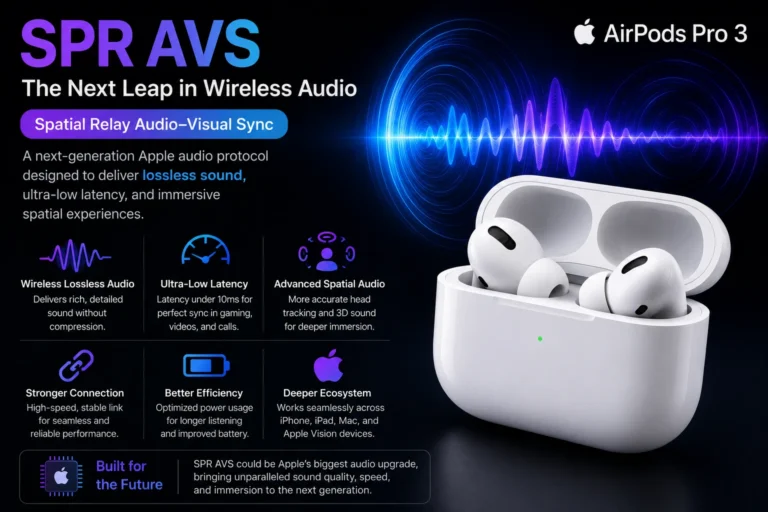
Answer 2. SPR AVS is believed to be Apple’s upcoming wireless audio technology for future AirPods and iPhones. The main goal of this system is to improve sound quality, reduce audio delay, and create a smoother connection between Apple devices.
Traditional Bluetooth audio usually compresses music during wireless transmission. Because of this, some audio detail can be lost. SPR AVS is expected to solve this limitation by using a faster and more advanced communication method.
This technology may help AirPods deliver:
* Better wireless sound quality
* Lower delay while gaming or watching videos
* Faster audio response
* Improved Spatial Audio experience
* Stronger connection between Apple devices
SPR AVS could also play an important role in future Apple products focused on immersive entertainment and mixed reality experiences.
Although Apple has not officially revealed complete technical details yet, many reports suggest that SPR AVS may become a major upgrade over standard Bluetooth audio in upcoming AirPods models.
AirPods Pro 3 can play Apple Music Lossless and ALAC files, but they cannot play them at their full, original resolution over a standard Bluetooth connection.
While the earbuds are compatible with the ALAC format used by Apple Music, the audio is compressed into the AAC codec when sent from an iPhone or Mac. This means you are hearing a high-quality version of the track, but it is not technically bit-for-bit lossless.
The only exception is when you pair them with the Apple Vision Pro. In that specific setup, they use a proprietary wireless link that bypasses standard Bluetooth limitations to deliver true lossless audio. For all other devices, they still rely on traditional Bluetooth, which currently lacks the capacity to stream uncompressed ALAC files.
AirPods Pro 3 support AAC, SBC, and AAC-ELD. While they can play Apple Music Lossless and ALAC files, the audio is compressed for standard Bluetooth connections. True lossless audio is only supported when paired with Apple Vision Pro using a proprietary wireless protocol.
FLAC is a high-quality audio format that shrinks file sizes without losing any sound data. While AirPods Pro 3 can play FLAC files stored on your device, they cannot stream them in their full, lossless quality over a standard Bluetooth connection. Instead, the audio is converted to a compressed format like AAC for transmission. The only way to hear the full detail of a lossless file on these earbuds is by pairing them with an Apple Vision Pro, which uses a special high-speed connection to maintain that original quality.
AirPods Pro 3 do not fully support true Hi-Res Lossless audio over standard wireless Bluetooth connections. Apple still uses AAC wireless audio technology, which compresses sound before it reaches the earbuds.
This means that even if you play lossless music from Apple Music, the audio quality is reduced slightly during wireless transmission. Because of Bluetooth limitations, full studio-quality Hi-Res Lossless playback is not currently available on AirPods Pro 3.
However, AirPods Pro 3 are still expected to deliver excellent sound quality with improved clarity, adaptive audio features, and better spatial sound performance compared to older models.
There are also reports that Apple is developing a newer wireless system for future devices that may support much higher quality wireless audio with lower delay. But as of now, AirPods Pro 3 do not offer complete Hi-Res Lossless playback wirelessly.
No, AirPods Pro 3 do not support the LDAC audio codec. Apple uses its own AAC wireless audio technology instead of Sony’s LDAC system.
LDAC is commonly found in Android smartphones and some premium wireless earbuds because it can transfer more audio data for higher quality sound. However, Apple prefers AAC because it is optimized for the Apple ecosystem and provides stable wireless performance with good battery efficiency.
This means AirPods Pro 3 cannot use LDAC high-resolution audio features even when connected to Android devices.
AirPods Pro 3 are designed mainly for iPhone, iPad, and Mac users, where Apple’s own wireless audio technologies are prioritized over third-party codecs like LDAC or AptX.
AirPods Pro 3 typically play wireless audio at around 256 kbps using Apple’s AAC codec. Apple focuses more on stable wireless performance, low power consumption, and balanced sound quality rather than extremely high bitrate transmission. Because of Bluetooth limitations, full lossless or Hi-Res audio is not available during regular wireless listening on AirPods Pro 3.
No, AirPods Pro 3 do not support Qualcomm aptX audio codecs. Apple uses its own AAC wireless audio system instead of aptX technologies like aptX HD or aptX Lossless.
AptX is mainly designed for Android devices and is used to improve wireless audio quality and reduce latency. However, Apple focuses on its own ecosystem and optimizes AirPods mainly for iPhone, iPad, and Mac devices.
Because of this, AirPods Pro 3 cannot take advantage of aptX high-resolution audio features even when connected to compatible Android phones.
Instead of using third-party codecs, Apple prioritizes features like smooth device switching, Spatial Audio, Adaptive Audio, and stable wireless performance across Apple products.
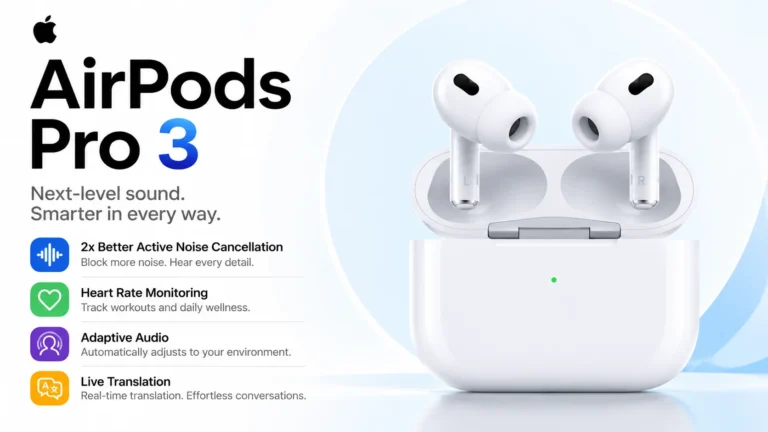
AirPods Pro 3 Adaptive Audio prioritizes important sounds by reducing unwanted background noise while keeping voices, alerts, and environmental sounds easier to hear. The system automatically changes audio settings depending on your environment.
AirPods Pro 3 do not provide true Apple Music Lossless playback over standard Bluetooth connections. Although Apple Music offers lossless-quality songs, the audio is still compressed wirelessly before reaching the earbuds. Apple currently focuses more on stable wireless performance, Spatial Audio, and smart features rather than full lossless Bluetooth streaming.
AirPods Pro 3 generally operate at a wireless audio sample rate close to 44.1 kHz using Apple’s AAC codec. This is similar to standard CD-quality audio. Even though Apple Music offers higher resolution formats, Bluetooth transmission on AirPods Pro 3 still compresses the audio before playback.
Use a wired path to a capable DAC/headphone, or stream via AirPlay to a compatible receiver that supports higher bandwidth. For portable use with earbuds, lossless over Bluetooth is rarely bit-perfect.
It can change perceived fidelity — spatial processing and ANC both alter the sound. Try toggling them to see which you prefer for specific tracks.
High-bitrate codecs may preserve more detail in ideal conditions, but real-world results depend on device support, connection stability, and your ears. Apple devices commonly use AAC for AirPods.
Not exactly. You can maximize perceived quality with high-quality sources, a good seal, updated firmware, and controlled listening environments — but a wired, properly amplified chain remains superior for absolute, bit-perfect fidelity.
What “Lossless” actually means ?
Lossless audio is a technical term: it refers to file formats or streams that preserve the original audio data exactly (bit-for-bit) after compression and decompression.
Popular lossless formats include FLAC, ALAC (Apple Lossless), and WAV. Lossy formats like AAC, MP3, and OGG remove data to reduce file size; they aim to be perceptually transparent, but they are not bit-perfect.
Key points:
- Lossless: identical to the master recording after decoding.
- Lossy: some data permanently discarded to save bandwidth/storage.
- Perceptual difference: not always obvious — an expensive system and trained ears help detect gaps.
Why lossless is hard over Bluetooth ?
Bluetooth, by design, is a low-power wireless transport optimized for convenience. It was never meant to stream multi-hundred-megabit master files. Practical constraints include:
- Limited bandwidth: Even modern Bluetooth codecs are constrained compared to wired paths.
- Latency & error resilience: Wireless links prioritize smooth playback and stability.
- Codec choices: Bluetooth transmits compressed audio using codecs (SBC, AAC, aptX variants, LDAC, LC3, etc.). These codecs trade data rate for connection reliability.
- Battery life & processing: Higher bitrates and continuous high throughput drain earbuds faster.
True, bit-perfect lossless audio (the exact master file reproduced at the DAC) is generally not feasible over standard Bluetooth links.
Most wireless earbuds — including premium models — use high-quality compressed codecs rather than sending raw lossless streams.
How Apple handles “Lossless” ?
Apple offers Apple Music Lossless and Hi-Res Lossless for subscribers. Important practical facts to understand:
- Apple Lossless (ALAC) is Apple’s lossless format — it preserves the original audio.
- Delivery methods: On iPhones and Macs, Apple Music can play lossless files locally through the device’s DAC or when streaming to compatible hardware.
- AirPlay vs Bluetooth: AirPlay (Wi-Fi based) can stream higher-quality audio than Bluetooth because it has more bandwidth. Bluetooth audio uses codecs (AAC commonly on Apple devices) and will compress the stream.
- Wired path is best: For true lossless listening, a wired connection to a high-quality DAC/headphones remains the gold standard.
Apple’s ecosystem favors convenience (wireless, spatial audio, dynamic head tracking) and offers lossless music — but the actual bit-perfect delivery depends on the playback chain.
Apple AirPods Pro 3 Codecs
The AirPods Pro 3 support the following audio codecs:
- AAC: The primary high-quality codec for most Apple devices (iPhone, iPad, Mac).
- LC3plus: A new addition for this generation that enables Lossless Audio (24-bit/48 kHz) over a wireless connection.
- AAC-ELD: Used for low-latency voice communication during calls and FaceTime.
- SBC: The standard baseline codec for compatibility with non-Apple devices.
- No LDAC or aptX
Apple still focuses on its own ecosystem and usually does not include Android-focused codecs like LDAC or Qualcomm aptX.
Note on Lossless: To use the LC3plus lossless feature, you generally need to be paired with an Apple Vision Pro or a compatible iPhone 17 (or newer) running the latest firmware, as these devices have the necessary hardware to support the high-bandwidth 5GHz or Ultra-Wideband protocols required.
Where AirPods Pro 3 fit in — Technical Reality
Without arguing about model-specific firmware details, the practical reality for most modern wireless earbuds is consistent:
- AirPods Pro 3 deliver excellent sound for wireless earbuds: tuned drivers, active noise cancellation (ANC), spatial audio, and adaptive EQ improve perceived fidelity.
- They rely on Bluetooth codecs: That means the audio stream is compressed en route to the earbuds. Compression doesn’t necessarily mean “low quality” — many codecs are transparently good for most listeners — but it does mean not bit-perfect lossless.
- Spatial audio and processing may alter the signal: Apple’s spatial audio, head-tracking and ANC processing create immersive effects but also change the bitstream from the original master — these are tradeoffs for experience, not strict fidelity.
So: expect very high-quality wireless sound, but don’t expect AirPods Pro 3 to reproduce a studio master bit-for-bit over Bluetooth. For that, you need a wired chain or a high-quality wireless transport designed for lossless (rare in true earbuds).
Practical steps to improve perceived sound quality on AirPods Pro 3
Even though bit-perfect lossless isn’t realistic over Bluetooth, you can still make your AirPods Pro 3 sound far better. Here’s a checklist:
A. Source & app settings
- Use lossless/HQ files where possible. Even if the wireless link compresses, starting with a higher-quality source often improves final output.
- Prefer Apple Music Lossless (or other high-quality masters) over low-bitrate streams.
- If using third-party apps, set streaming quality to highest.
B. Playback chain & connection
- Keep your source device close and interference low. Bluetooth quality drops with interference.
- Ensure firmware is up to date. Manufacturers improve performance via firmware.
- Avoid simultaneous Bluetooth devices that could distract the link.
C. Physical fit & ear tips
- Good seal > raw bitrate. A proper ear tip seal dramatically improves bass response and perceived clarity. Test multiple sizes.
- Clean your earbuds regularly. Wax and dirt muffle highs and reduce clarity.
D. Features & settings
- Try Adaptive EQ on/off. Some listeners prefer the stock tuning; others prefer a flat profile.
- Spatial audio: Great for immersion — try both on and off for the same track to hear differences.
- Turn off ANC for certain tracks where transparency gives more natural tonality (depends on noise environment).
E. Use high-quality DAC/headphone chain when possible
- If you want real lossless, use wired headphones or an external DAC. On a computer, a USB DAC or Lightning-to-3.5mm with a good DAC will reproduce ALAC/FLAC bit-perfectly.
- AirPlay to a compatible receiver if you want a wireless but higher-bandwidth lossless path at home.
F. EQ & mastering
- Use a gentle EQ if needed to correct room/ear characteristics — avoid heavy boosts that cause distortion.
- Try mastering-grade tracks for critical listening rather than compressed pop masters.
Comparing AirPods Pro 3 to wired headphones and other wireless earbuds
AirPods Pro 3 vs wired headphones
- Wired: potential for bit-perfect lossless, lower latency, typically better dynamics if paired with quality DAC/amp.
- AirPods: unmatched convenience, spatial audio, ANC, and mobility — but compressed transport.
AirPods Pro 3 vs other wireless earbuds
- Sony (LDAC) / Qualcomm aptX HD / aptX Adaptive: Some competitors support higher-bitrate codecs (LDAC can stream near CD or above in ideal conditions) and may edge out in raw bitrate potential.
- Apple ecosystem advantage: seamless integration, spatial audio, and device switching. The listening experience is often more important to many users than raw technical specs.
Use cases: When lossless truly matters (and when it doesn’t)
When lossless matters
- Critical studio listening and mastering — professional or audiophile contexts.
- High-end home setups with dedicated DACs and speakers/headphones.
When lossless is less important
- Commuting, gym, casual listening. Noise, motion, and environment masks subtle differences.
- Small portable earbuds where convenience is the priority.
Most listeners will prefer the convenience and features of AirPods Pro 3 over the theoretical gains of pure lossless in everyday use.
You May Also Like To Read
Frequently Asked Questions
Practical takeaways
- Expectation setting: AirPods Pro 3 are excellent wireless earbuds but Bluetooth imposes limits on true lossless playback.
- Real improvements: Use lossless sources, good fit, firmware updates, and the right settings to get the best sound.
- When you need lossless: Use a wired DAC or AirPlay for bit-perfect listening. For most listeners, the difference between high-quality Bluetooth and true lossless is small in everyday contexts.
AirPods Pro 3 bring a major innovation in wireless audio with lossless audio support—a first for Apple’s in-ear headphones.
This is made possible by Apple’s new wireless audio protocol, SPR-AVS, which enables high-quality audio streaming with ultra-low latency.
Previously, AirPods including Pro 2 used Bluetooth codecs like AAC which compresses audio and loses quality. With SPR-AVS, AirPods Pro 3 can transmit audio data more efficiently and preserve the original sound.
You’ll notice this most when paired with a compatible device like the iPhone 17 which also supports SPR-AVS.
Together they deliver an immersive listening experience with high-res audio and make the most of tracks available in Apple Music’s Lossless tier.
Why is this important?
For audiophiles and casual listeners alike, being able to listen to lossless audio wirelessly is a game-changer.
You can enjoy studio quality sound without the need for wires, more freedom and convenience.
Whether you’re listening to your favorite album or discovering new music, AirPods Pro 3’s lossless audio support means every note and nuance is delivered with crystal clarity.
Lossless audio in AirPods Pro 3, enabled by SPR-AVS, is a major step forward in wireless audio, giving you a premium listening experience that was previously not possible in truly wireless earbuds.
Join the Discussion
Related Articles
- AirPods Pro 3 Full Specifications Features Audio Battery Life
- The Dual Identity Of SPR AVS In AirPods Pro 3 : Fast Charging Vs. Lossless Audio
- Does AirPods 4 Support Lossless Audio ?
- AirPods 4 Reengineered For You – Immersive Wireless Audio
- What is Adaptive Audio in AirPods Pro 3 ? – Everything You Need to Know
- Do AirPods Pro 3 Really Support Lossless Audio ?
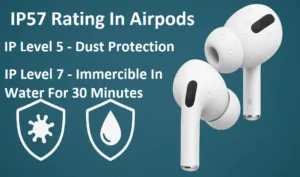
- What Does IP57 Mean in AirPods Pro 3?
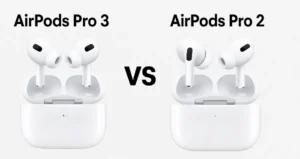
- How is AirPods Pro 3 different from AirPods Pro 2?
- How Live Translation Works in AirPods ?
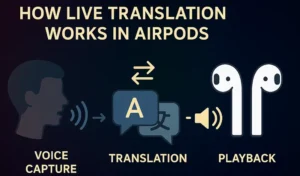
- Future of Real-Time Translation in Audio Devices – What’s Next

- Tips to Extend AirPods Battery Life

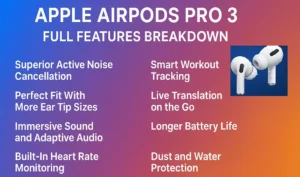
- Apple AirPods Pro 3: Full Features | ANC | Heart Rate Sensing | Lossless Adaptive Audio



Leave a Reply